
Login Screen
Description
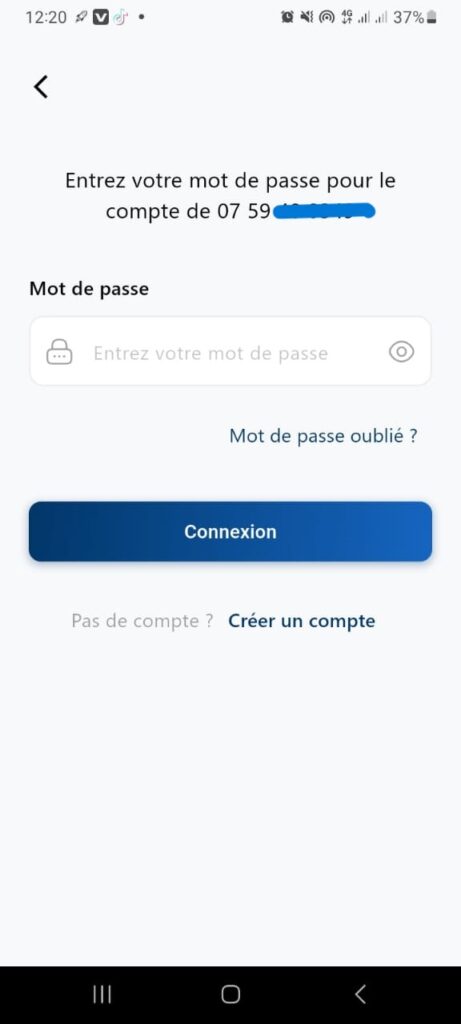
This screen allows the user to log in to their account by entering the password associated with the registered phone number.
It automatically appears when the application is opened if the account has already been created and identified by its phone number.
Interface Elements
Title / Instruction
Text displayed at the top of the screen: “Enter your password for the account [phone number]”
This indicates to the user which account is concerned.
Input field: Password
Lock icon to indicate security.
Text area that hides the entered characters.
Allows entering the password associated with the account.
Link: Forgot password?
Redirects to the password recovery process.
Used in case of forgotten or lost credentials.
Primary button: Login
Color: Blue (highlights the main action).
Action: Validates the input and attempts to log in to the account.
Secondary link: Create an account
Displayed at the bottom of the screen.
Allows a new user to register.
Expected Behavior
Validation:
- If the password is correct → Access to the application.
- If incorrect → Error message “Invalid password”.
Forgot password?:
Opens a flow to reset the password via SMS or email.
Create an account:
Redirects to the registration screen.
