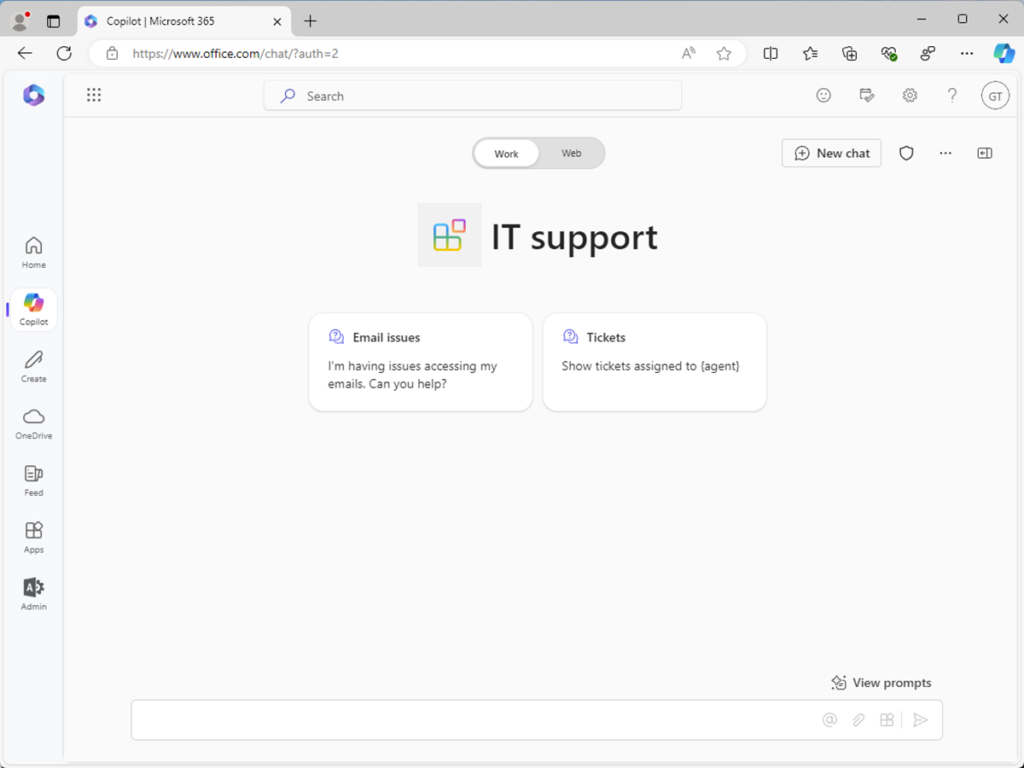
What is a declarative agent?
Let’s start with a few definitions and a quick overview of the main features of a declarative agent. This overview helps you determine whether a declarative agent might be suitable for your scenario.
What is an agent?
An agent is a conversational AI that can interact with users through a chat interface. Agents can answer questions, provide information, and perform tasks on behalf of the user. They can be used in various scenarios, such as customer support, IT helpdesk, and HR support.
What is a declarative agent?
Use declarative agents to extend Microsoft 365 Copilot. You define custom knowledge and custom actions to create agents tailored to a specific scenario.
Declarative agents use the same infrastructure, the same orchestrator, the same base model, and the same security controls as Microsoft 365 Copilot, ensuring a consistent and familiar user experience.
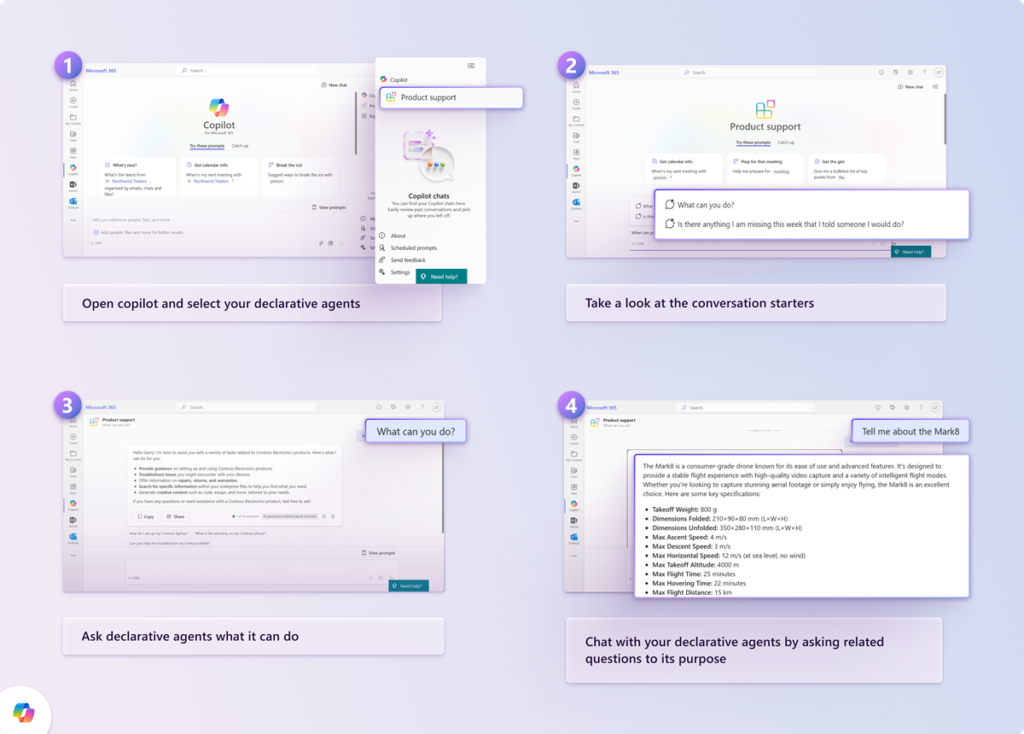
You create declarative agents with low-code using:
- Microsoft Copilot Studio
- SharePoint Online
- Microsoft Admin Center
Or with pro-code, using Visual Studio Code.
Declarative agents are used by end users in two ways:
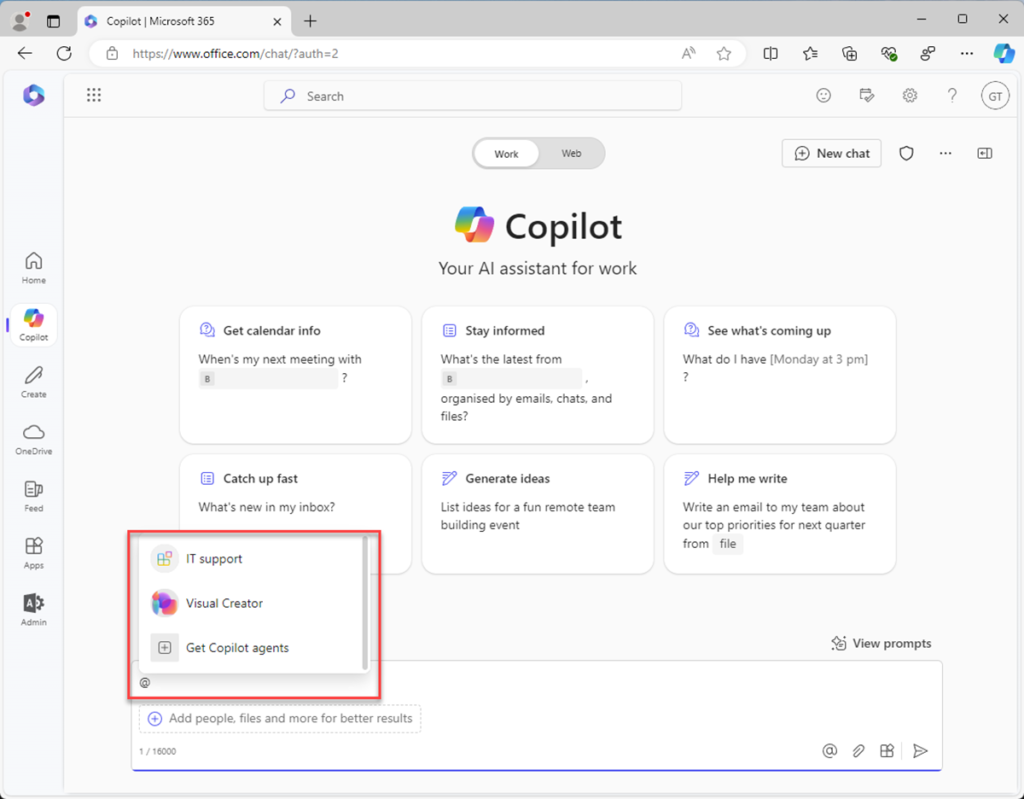
- In context: mention the agent with @ from the Microsoft 365 Copilot professional chat (BizChat).
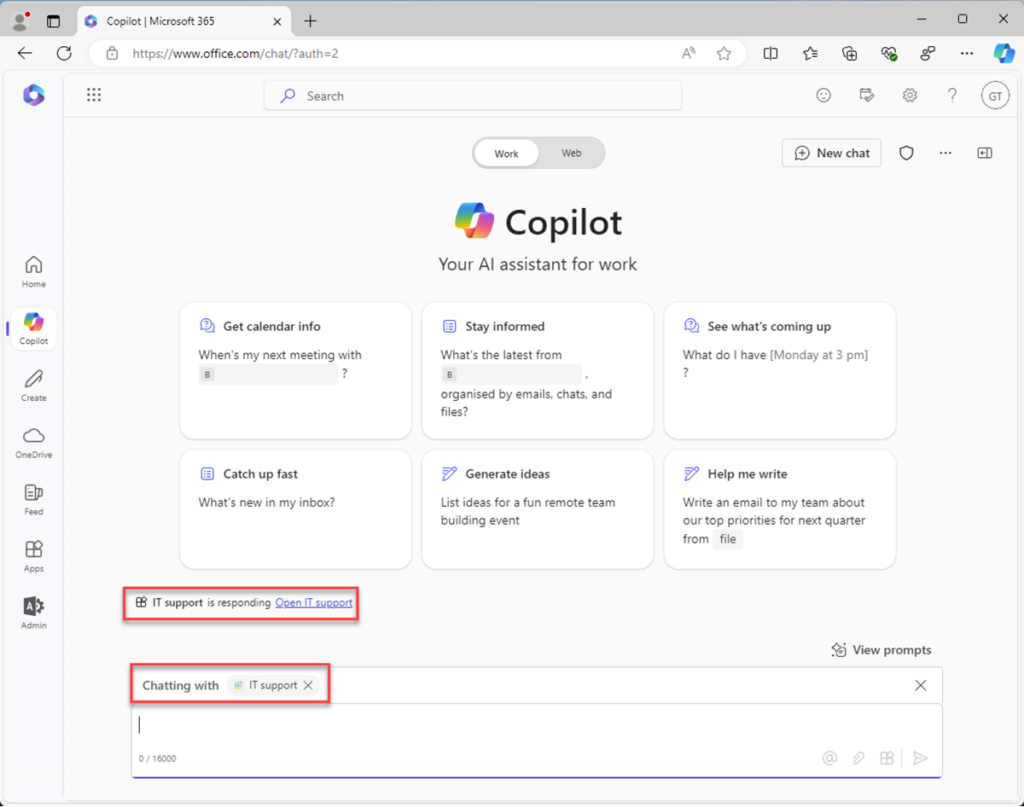
Immersive: access declarative agents from BizChat, where they can have a one-on-one conversation with the agent.