
Review the Researcher Agent
The preconfigured Researcher agent in Microsoft 365 Copilot helps business users quickly and accurately find the information they need—without manual effort or long, tedious searches. Whether you’re preparing a presentation, writing a report, or trying to get up to speed on a new topic, Researcher acts as an intelligent research assistant that understands your goals and delivers clear, relevant insights. It helps you conduct complex, multi-step research in a professional context and provides results with a level of quality and precision previously unattainable. For example, you can use Researcher to:
- Develop a detailed go-to-market strategy based on the context of all your work data and broader competitive intelligence from the web.
- Identify untapped opportunities for a new product by leveraging emerging trends and internal data.
- Create a comprehensive quarterly report for a client review, detailing work completed to date along with the latest market analysis.
Researcher can also access third-party data via connectors to enhance its capabilities and deliver more comprehensive insights. In doing so, it can integrate data from external sources such as Salesforce, ServiceNow, Confluence, and many others directly into Microsoft 365 Copilot. It can even retrieve data through other preconfigured agents, such as the Sales Chat agent. It can also access information from custom agents if their data is exposed via supported connectors or integrations with Microsoft Graph.
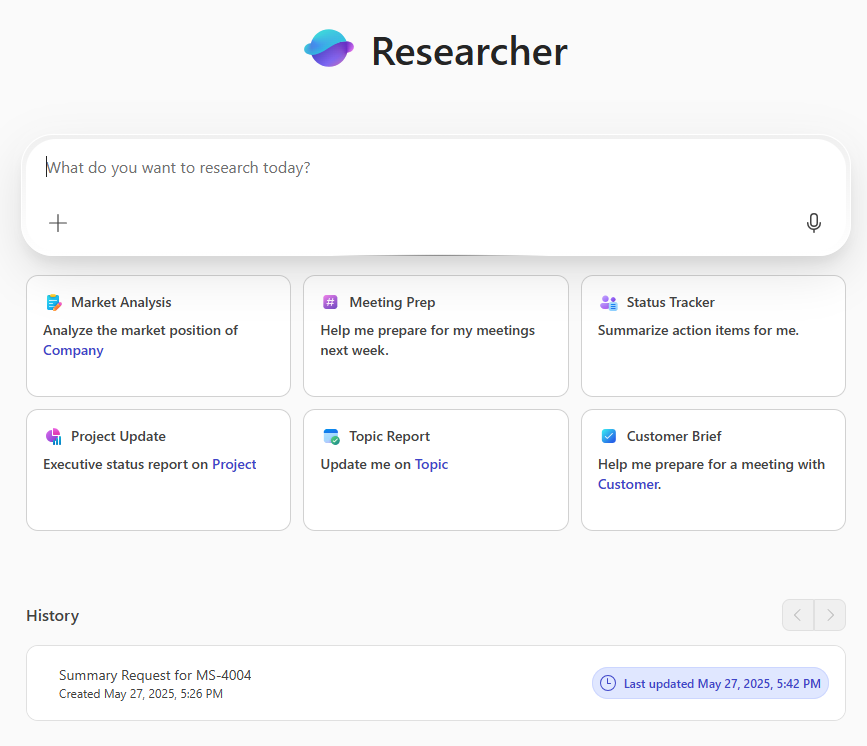
The Researcher Agent Is Optimized for Relevant Enterprise Search
It can analyze recent files, trusted sources, and the web (when enabled) to deliver high-quality, well-structured responses. It follows a methodical chain-of-thought approach, allowing it to break down complex questions, identify relevant sources, and refine results to meet your specific needs. Whether you’re preparing a market overview, writing a competitive analysis, or gathering background information for a presentation, Researcher can quickly locate key facts, trends, and insights. It summarizes long documents, extracts the most relevant points, and provides citations so you can easily dive deeper or share your findings. You don’t need to sift through dozens of articles or reports—Researcher does that work for you.
Researcher is especially useful for common business tasks such as:
- Creating executive summaries
- Gathering background information for meetings or proposals
- Comparing industry trends or competitor strategies
- Writing reports, white papers, or internal memos
Even if you’re not a professional researcher or writer, you can get clear, well-organized results simply by asking questions in plain language. For example, say:
- “Give me a summary of the latest sustainability trends in the retail sector,” or
- “Compare the top cloud storage providers in terms of security and pricing.”
Researcher interprets your intent, draws from up-to-date sources, and provides reliable answers—often in just seconds.
One of Researcher’s most powerful features is its ability to work from your recent activity in Microsoft 365.
If you’re collaborating on Word documents, checking emails, or editing a presentation, Researcher can take that context into account to deliver even more relevant responses. It respects your organization’s data boundaries and file permissions, accessing only the content you’re authorized to view.
By saving you hours of manual research, Researcher allows you to focus on strategy, storytelling, or decision-making—without compromising on depth or accuracy.
Sample Queries to Use with the Researcher Agent
Here’s a list of queries you can try with the preconfigured Researcher agent in Microsoft 365 Copilot Chat:
Market and Competitive Research
- “What are the emerging trends in the electric vehicle market for 2025?”
- “Compare the go-to-market strategies of our top three competitors.”
- “Summarize recent mergers and acquisitions in cloud computing.”
- “What market risks should we consider before entering Southeast Asia?”
Context and Background Building
- “Give me a summary of generative AI applications in the healthcare sector.”
- “What is the history and mission of [Company Name]?”
- “Create a briefing note on ESG (Environmental, Social, and Governance) regulations in Europe.”
- “What are the pros and cons of hybrid work policies?”
Report and Content Writing
- “Write an executive summary based on this Word document.”
- “Generate a bullet-point brief from this 30-page industry report.”
- “What key statistics should I include in a Q2 marketing strategy update?”
- “Create a summary slide of our competitive analysis for this presentation.”
Information Gathering Across Multiple Files
- “Extract key insights from my recent documents on customer retention.”
- “Summarize trends in the spreadsheets and reports I worked on this week.”
- “What patterns are emerging from the latest responses to our customer satisfaction survey?”
Administrative and Knowledge Management Support
- “What are our data privacy policies?”
- “Summarize the main points from our last four executive team meetings.”
- “Find all recent updates related to employee training and development.”
- “Help me prepare a list of talking points for an investor Q&A session.”
Limitations of the Researcher Agent
While Researcher is a powerful tool, here are a few things to keep in mind when using it:
- It doesn’t replace domain experts: Researcher can help you get started or accelerate your work, but final interpretation and decision-making should always involve human oversight—especially for critical or sensitive topics.
- Source access may vary: Researcher draws from your Microsoft 365 files and, when enabled, from trusted web sources. It cannot access paid or private databases unless they’re integrated into your environment.
- Be specific when needed: Vague queries may yield overly general results. If you’re looking for something detailed, include specifics like a time frame, region, industry, or document name.
- It respects your file permissions: Researcher can only access content you’re authorized to view. If data seems missing from the results, ensure you have access to the relevant files or sources.
