
Components of GitHub Flow
In this unit, we review the following components of GitHub Flow:
- Branches
- Commits
- Pull Requests
What is a branch?
In the previous section, we created a new file and a new branch in your repository.
Branches are an essential part of the GitHub experience because they allow you to make changes without affecting the entire project.
Your branch is a safe space to experiment with new features or fix bugs.
If you make a mistake, you can revert your changes or push new ones to correct the error.
Your changes will not be applied to the default branch until you merge your branch.
Note
You can also create a new branch and switch to it using Git in a terminal with the command:
git checkout -b newBranchNameWhat is a commit?
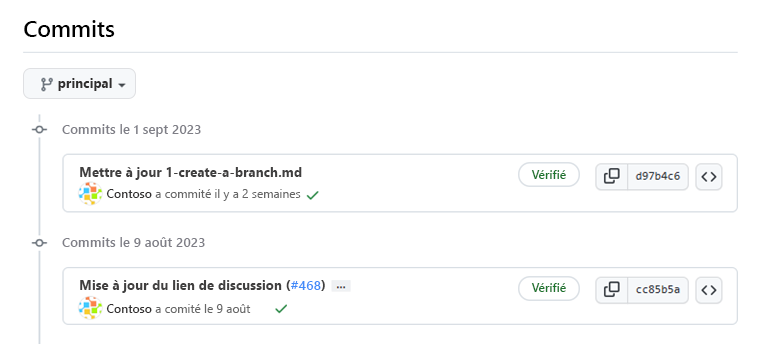
In the previous unit, you added a new file to the repository by making a commit.
Let’s briefly review what a commit is.
A commit is a change made to one or more files on a branch.
Each commit receives a unique identifier and is recorded with the date, time, and author.
Commits provide clear traceability for anyone reviewing the history of a file or a related item, such as an issue or a pull request.
In a Git repository, a file can exist in several valid states during the version control process.
The main states of a file in a Git repository are: Untracked and Tracked.
- Untracked: The initial state of a file when it has not yet been added to the Git repository. Git is unaware of its existence.
- Tracked: A tracked file is one that Git actively monitors. It can be in one of the following sub-states:
- Unmodified: The file is tracked but has not been changed since the last commit.
- Modified: The file has been changed since the last commit, but these changes have not yet been staged for the next commit.
- Staged: The file has been modified and the changes have been added to the staging area (also called the index). These changes are ready to be committed.
- Committed: The file is recorded in the repository’s database. It represents the latest committed version of the file.
These states and sub-states are important for collaborating effectively with your team and understanding where each commit stands in your project’s process.
What is a pull request?
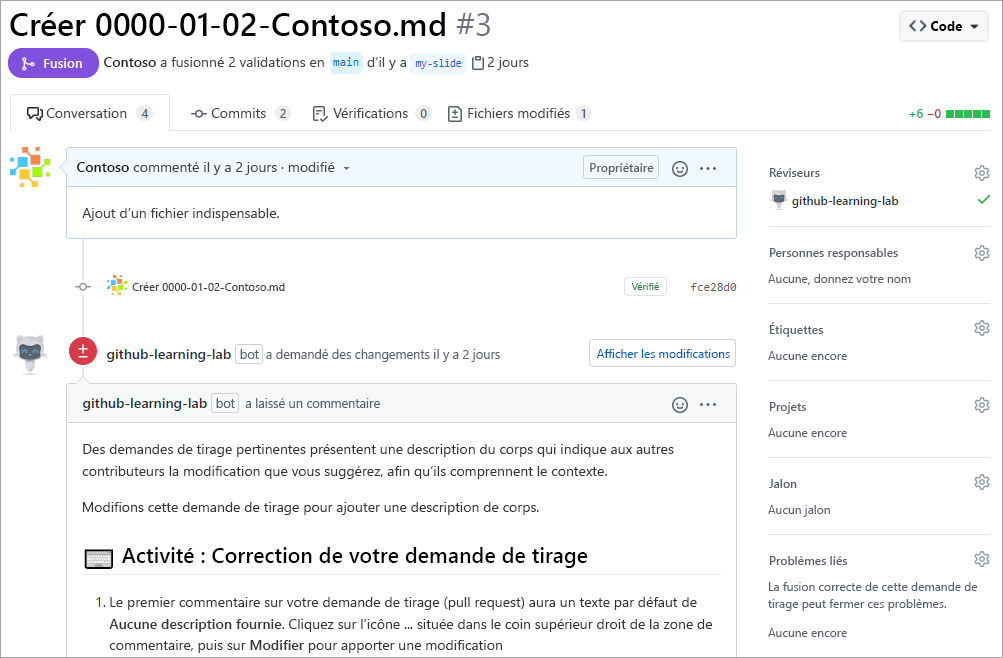
A pull request is the mechanism used to indicate that the commits in a branch are ready to be merged into another branch.
The team member who submits the pull request asks one or more reviewers to check the code and approve the merge.
Reviewers can comment on the changes, add their own modifications, or use the pull request to discuss further.
Once the changes are approved (if necessary), the source branch of the pull request (called the comparison branch) is merged into the base branch.
Now that we know all the ingredients, let’s review the GitHub Flow.
GitHub Flow
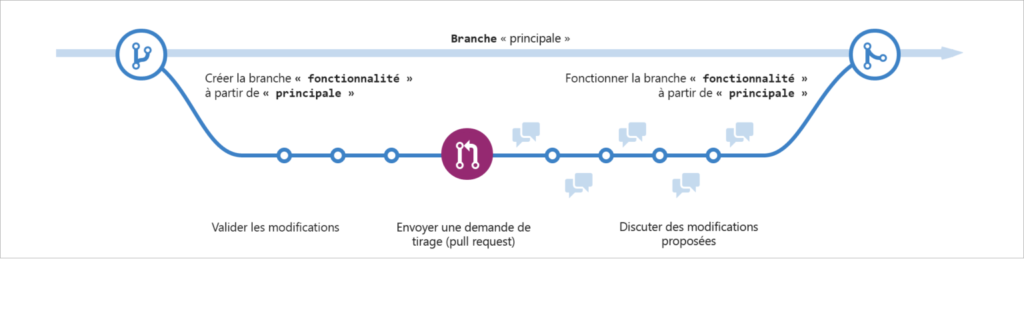
GitHub Flow can be defined as a lightweight workflow that enables safe experimentation. You can test new ideas and collaborate with your team using branches, pull requests, and merges.
Now that we know the basics of GitHub, we can review the GitHub Flow and its different steps:
- Start by creating a branch so that the changes, new features, or fixes you make do not affect the main branch.
- Next, make your changes. It is recommended to deploy the changes on your feature branch before merging them into the main branch. This ensures that the changes are valid in a production environment.
- Create a pull request to request feedback from your collaborators. Reviewing pull requests is so valuable that some repositories require approval before allowing a merge.
- Review and apply feedback from your collaborators.
- Once you are satisfied with your changes, it’s time to get your pull request approved and merge it into the main branch.
- Finally, delete your branch. This indicates that work on this branch is complete and prevents you or others from accidentally using outdated branches.
And that’s it—you’ve completed a full cycle of the GitHub Flow!
