
Phenix Tools
Date Format
Navigation: Login with your credentials >> look for the user icon in the upper right corner and click on it >> click on Settings in the drop-down menu then Main Configuration.
To change the date format, you can select the desired date format from the drop down menu. The selected date format is applied wherever the date picker is used in the application.
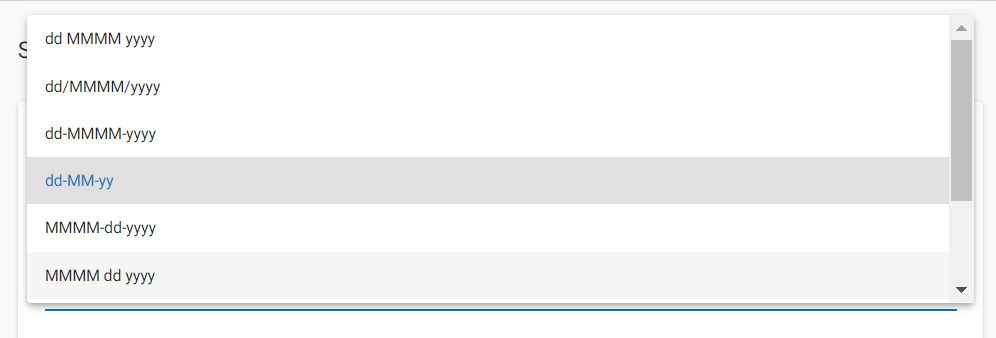
Supported Date Formats
| Supported Date Format | Example | |
| 1 | dd MMMM yyyy | 01 August 2016 |
| 2 | dd/MMMM/yyyy | 01/August/2016 |
| 3 | dd-MMMM-yyyy | 01-August-2016 |
| 4 | dd-MM-yy | 01-08-16 |
| 5 | MMMM-dd-yyyy | August-01-2016 |
| 6 | MMMM dd yyyy | August 01 2016 |
| 7 | MMMM/dd/yyyy | August/01/2016 |
| 8 | MM-dd-yy | 08-01-16 |
| 9 | yyyy-MM-dd | 2016-08-01 |
Limitations
- If the selected language is non-English, then the date format should be dd-MM-yy in order to do any transaction-based activity.
- The date format setting is applicable only to the current session. If the browser is closed and reopened or if the website is opened from another browser, then the user needs to change his preferences again.
