Phenix Tools
Sign Out
How to Sign Out of Phenix:
From any page in the Phenix platform:
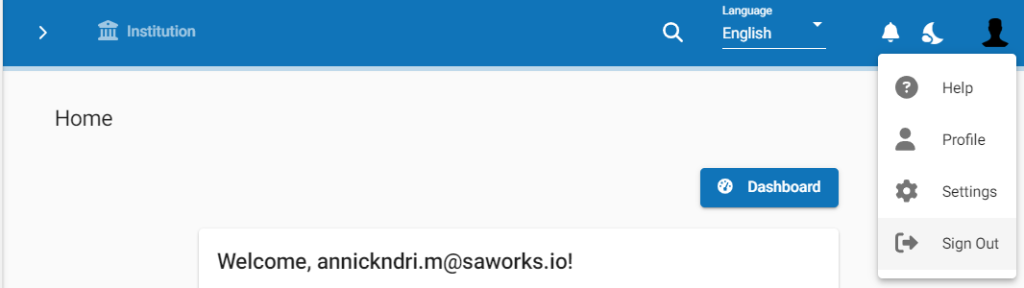
- Click on the phenix button at the top-right corner of the page (as shown in the screenshot below).
- Click on the Sign Out option in the drop-down menu.
You will be signed out of the platform and the Sign In Page will be displayed.